


Stay Updated with the Latest AI Agent Insights

Join 24,000+ AI enthusiasts and professionals

Discover the newest AI agents, tools, and automation trends shaping the future of work. From powerful agent builders to cutting-edge workflow automation, we break down what matters so you can stay ahead.

Get expert insights, tool comparisons, and curated recommendations—all in one place.

ToolJet Review

ToolJet Review: Explore how this open-source platform builds internal tools and automates workflows efficiently.

  • Overall Rating
4.7/5Overall Score

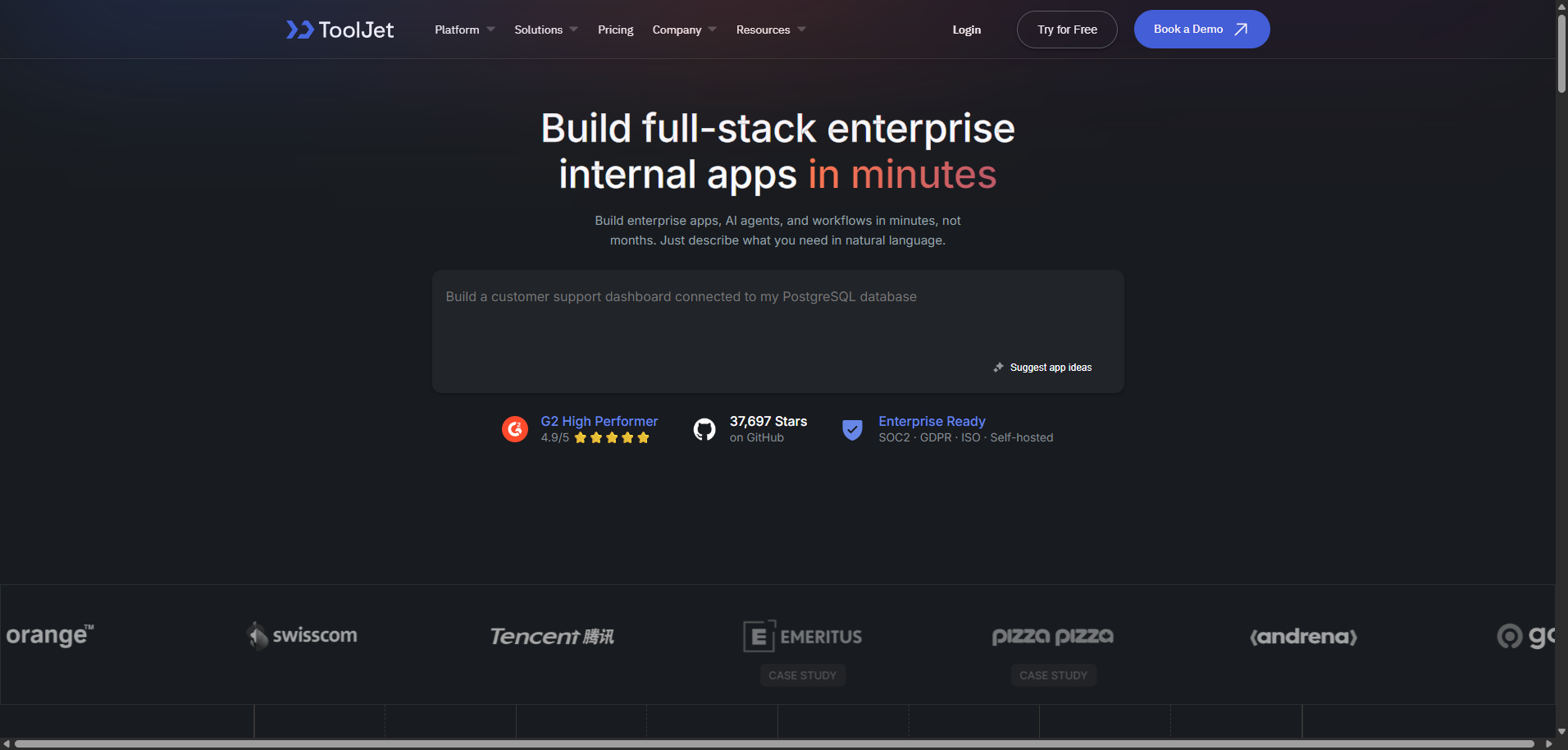
Open-source platform to build internal tools, automate workflows, and connect databases with low-code simplicity.

ToolJet Review – The Open-Source Workflow Automation Platform for Internal Tools, Apps & Business Process Automation

Category: Workflow Automation & Internal Tool Development
Pricing: Free (Open-Source) / Cloud & Enterprise Plans
Source Type: AI Agent (Workflow Automation + Internal Tool Builder + Low-Code Platform)


Overview

Every company has the same hidden problem…

👉 Too many internal processes
👉 Too many disconnected tools
👉 Too much manual work

Think about it:

  • Managing dashboards
  • Updating databases
  • Handling operations
  • Building internal tools

And most teams either:

❌ Build custom tools (slow & expensive)
❌ Or use spreadsheets (messy & limited)

That’s where ToolJet comes in.

ToolJet is an open-source, low-code platform designed to:

  • Build internal tools quickly
  • Automate workflows
  • Connect databases and APIs
  • Streamline operations

But here’s what makes ToolJet powerful:

👉 It combines low-code + automation + integrations + AI workflows

Think of it as:
👉 A Retool alternative + automation engine + internal app builder

So the big question is:

👉 Can ToolJet replace manual workflows and internal tool chaos?

Let’s dive deep.


Key Features 🚀

🛠️ Internal Tool Builder

This is ToolJet’s core capability.

  • Build dashboards
  • Create admin panels
  • Design internal apps

👉 Without heavy coding


🔄 Workflow Automation Engine

Automate processes.

  • Trigger workflows
  • Handle business logic
  • Connect systems

👉 Reduce manual work


🔗 Database & API Integration

Connect everything.

  • PostgreSQL, MySQL
  • REST APIs
  • GraphQL
  • External services

👉 Centralized data access


🎨 Drag-and-Drop UI Builder

Design visually.

  • Buttons, tables, forms
  • Custom layouts
  • Interactive components

👉 Fast UI creation


🤖 AI Workflow Integration

Add intelligence.

  • AI-powered workflows
  • Data processing
  • Automation logic

⚡ Real-Time Data Handling

Work dynamically.

  • Live updates
  • Data syncing
  • Interactive dashboards

🔐 Role-Based Access Control

Enterprise-ready security.

  • User roles
  • Permissions
  • Access control

🆓 Open-Source & Self-Hosted

Full control.

  • Host on your own servers
  • Customize freely
  • Avoid vendor lock-in

Use Cases

1. Internal Tool Development

Build fast.

  • Admin dashboards
  • CRM tools
  • Operations panels

2. Workflow Automation

Reduce manual work.

  • Automate processes
  • Connect systems
  • Improve efficiency

3. Data Management

Centralize information.

  • Connect databases
  • Build dashboards
  • Analyze data

4. Business Operations

Streamline workflows.

  • HR tools
  • Finance dashboards
  • Support systems

5. Startup Tooling

Move fast.

  • Build MVP tools
  • Manage operations
  • Scale efficiently

Pros and Cons

✅ Pros

  • Open-source and flexible
  • Strong workflow automation
  • Powerful integrations
  • Low-code UI builder
  • Great for internal tools
  • Enterprise-ready

❌ Cons

  • Requires setup for self-hosting
  • Learning curve for advanced workflows
  • Not a full no-code platform
  • Limited for external-facing apps
  • UI customization can be limited

Pricing & Plans

Plan TypeFeatures IncludedBest ForPricing
Open-SourceFull self-hosted platformDevelopersFree
Cloud PlanHosted version, easier setupTeamsMonthly Fee
Enterprise PlanAdvanced features, scaling, supportOrganizationsCustom Quote

Similar Workflow Automation Tools

If you’re comparing ToolJet with alternatives:

  • Retool
  • Appsmith
  • Budibase
  • Zapier
  • Make (Integromat)

Comparison Table

Feature / ToolToolJetRetoolAppsmithZapierMake
Open Source
Internal Tool Builder
Workflow Automation⚠️⚠️
Ease of Use⭐⭐⭐⭐☆⭐⭐⭐⭐⭐⭐⭐⭐⭐☆⭐⭐⭐⭐⭐⭐⭐⭐⭐⭐

Deep Dive: What Makes ToolJet Different?

1. Open-Source Internal Tool Platform

Most tools:
👉 Closed ecosystems

ToolJet:
👉 Fully open-source


2. All-in-One Workflow System

Combines:

  • UI builder
  • Automation
  • Integrations

👉 In one platform


3. Developer-Friendly Flexibility

Supports:

  • Custom logic
  • APIs
  • Advanced workflows

4. Cost Efficiency

Compared to:

👉 Retool (expensive)

ToolJet:

👉 Free or low-cost


Real-World Performance

🚀 Speed

Fast tool creation and workflow automation.


🎯 Accuracy

Strong with structured workflows.


🧠 Usability

Moderate (some learning curve).


📈 Impact

Users benefit from:

  • Faster internal tool development
  • Reduced manual work
  • Improved efficiency

Who Should Use ToolJet?

Best Fit

  • Developers
  • Startups
  • Engineering teams
  • Operations teams
  • Enterprises

Not Ideal For

  • Non-technical users
  • External product development
  • Simple automation-only needs
  • Fully no-code users

Verdict

ToolJet solves a major business problem:

👉 Internal tool chaos

It transforms:

  • Manual workflows → into automated systems
  • Spreadsheets → into structured apps

If your goal is to:

  • Build internal tools
  • Automate workflows
  • Save development time

Then ToolJet is a powerful and cost-effective solution.

👉 It’s not just automation—it’s building your internal infrastructure with AI and workflows


FAQ

What is ToolJet?

ToolJet is an open-source platform for building internal tools and automating workflows.

Is it free?

Yes, the open-source version is free.

Can it replace Retool?

Yes, it’s a strong open-source alternative.

Does it support databases?

Yes, it integrates with multiple databases and APIs.

Is it beginner-friendly?

Moderately—it requires some technical knowledge.


Editorial Ratings (Out of 5)

  • Ease of Use: ⭐⭐⭐⭐☆ (4.3)
  • Features: ⭐⭐⭐⭐⭐ (4.8)
  • Performance: ⭐⭐⭐⭐☆ (4.6)
  • Value for Money: ⭐⭐⭐⭐⭐ (4.9)
  • Overall Rating: ⭐⭐⭐⭐⭐ (4.7)


P.S.

If ToolJet keeps automating your workflows like this… spreadsheets might finally get a well-deserved retirement 😄📊🤖

Share your love
AI AGENT
AI AGENT
Articles: 38

Leave a Reply

Your email address will not be published. Required fields are marked *