


Stay Updated with the Latest AI Agent Insights

Join 24,000+ AI enthusiasts and professionals

Discover the newest AI agents, tools, and automation trends shaping the future of work. From powerful agent builders to cutting-edge workflow automation, we break down what matters so you can stay ahead.

Get expert insights, tool comparisons, and curated recommendations—all in one place.

Dosu Review
Dosu Review
  1. Dosu Review
  2. Dosu Review

Dosu Review

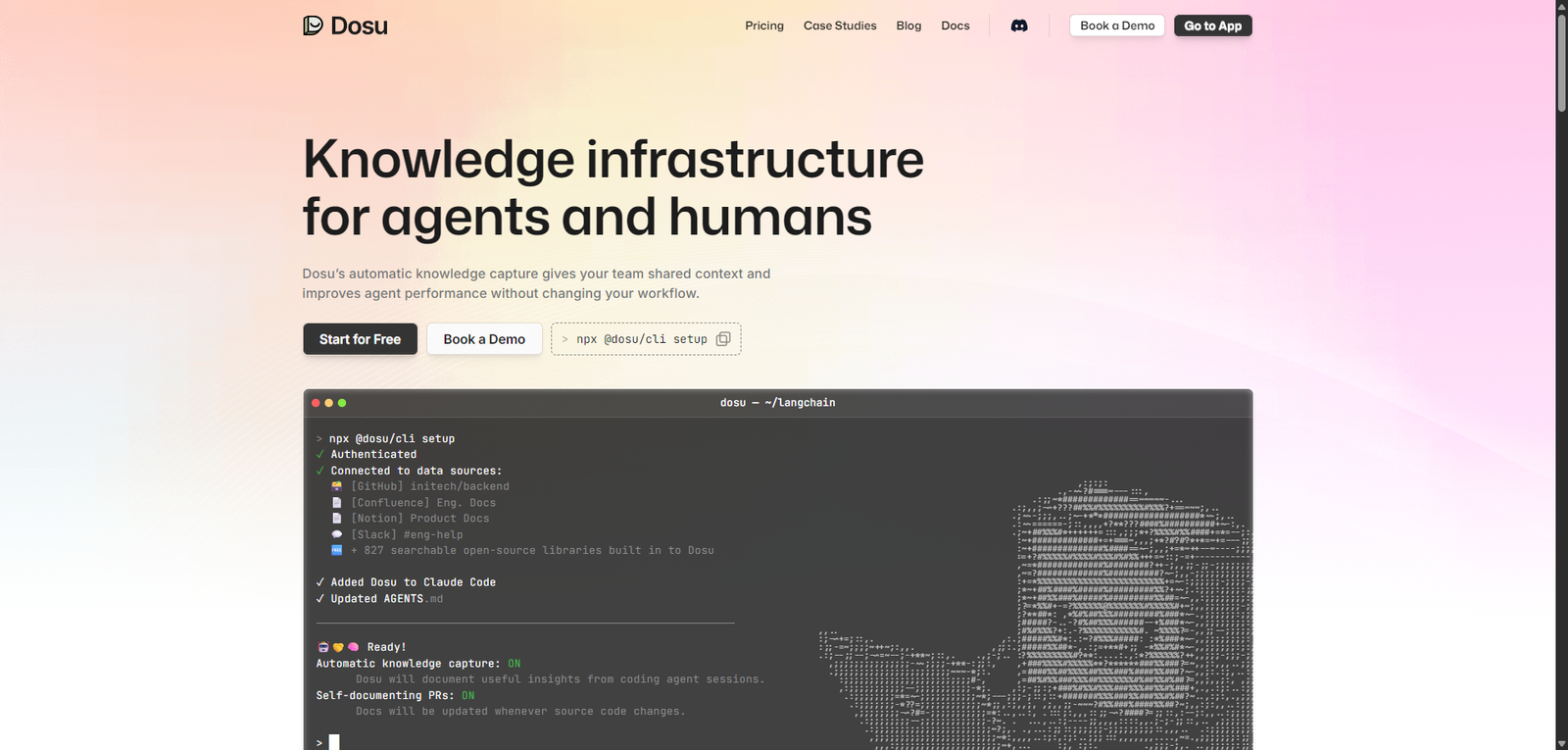
Dosu is an AI documentation agent that helps developers generate, update, and manage codebase documentation automatically, improving accuracy and team productivity.

  • Overall
4.2/5Overall Score

Dosu is a developer-focused AI documentation agent that simplifies how teams create and maintain documentation. By embedding AI directly into development workflows, it helps ensure that documentation remains accurate, accessible, and aligned with code changes, making it a valuable tool for modern engineering teams.

Category: AI Documentation Tool / Developer AI Agent


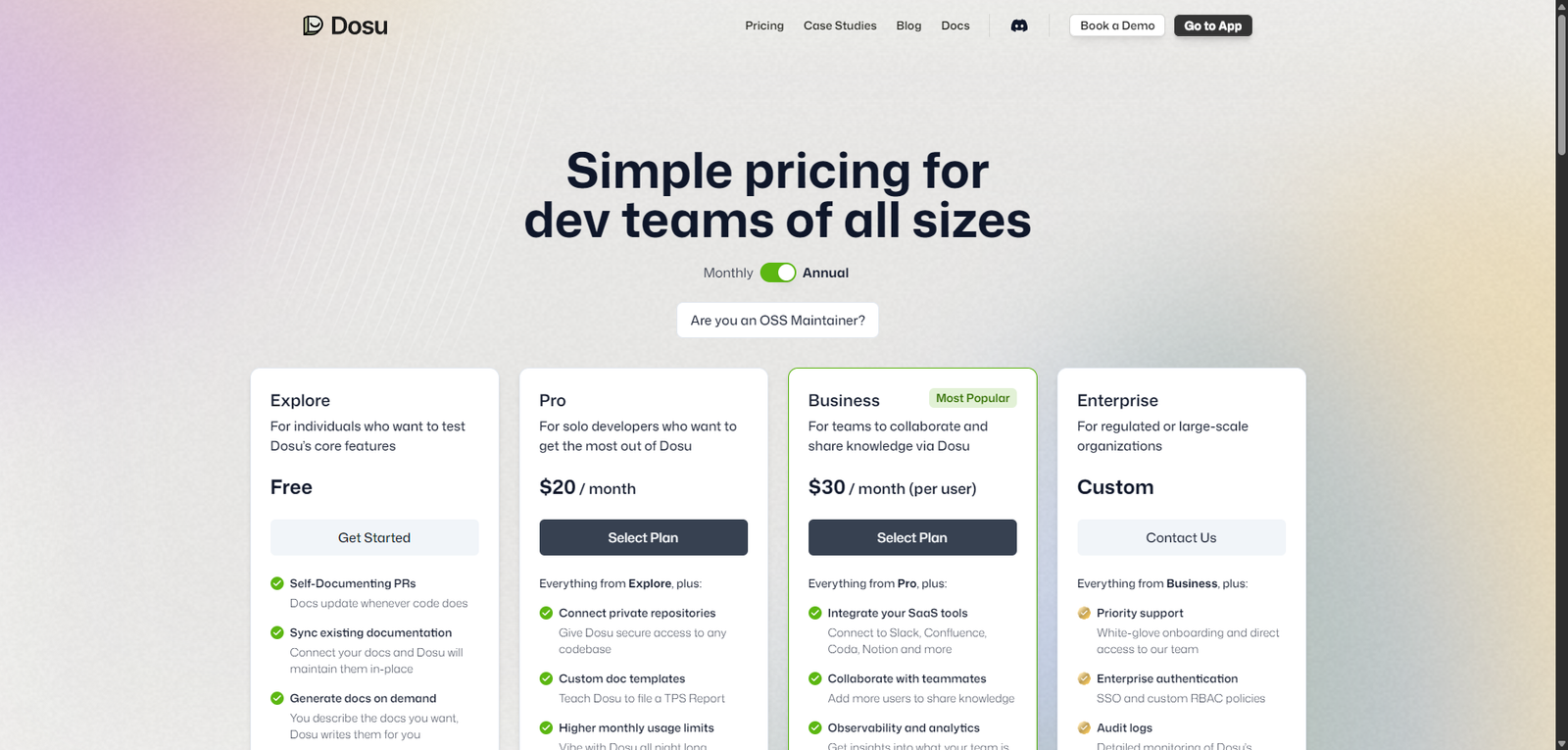
Pricing Snapshot

PlanPriceNotes
Free TierLikely availableمحدود usage for individuals or small projects
Paid PlansNot publicly disclosedExpected subscription or usage-based
EnterpriseCustomTeam features and advanced integrations

Pricing Transparency: Low — limited public pricing information


Source Type

  • Product positioning and developer tooling analysis
  • Documentation automation trends in AI
  • Comparison with AI coding assistants and documentation tools

Overview

Dosu is an AI-powered documentation agent designed to assist developers in managing, generating, and maintaining technical documentation. It integrates into development workflows—particularly around repositories and codebases—to ensure documentation stays accurate, up-to-date, and context-aware.

Unlike traditional documentation tools, Dosu acts as an active AI agent, capable of:

  • Answering questions about codebases
  • Generating and updating documentation automatically
  • Assisting with issue tracking and developer support
  • Improving knowledge accessibility within teams

It is positioned as a developer-first AI assistant, focused specifically on reducing the burden of documentation and improving collaboration.


Key Features

1. AI Documentation Generation

  • Automatically generates documentation from code
  • Keeps docs aligned with code changes
  • Reduces manual documentation effort

2. Repository-Aware Assistant

  • Understands project structure and context
  • Answers developer questions about code
  • Acts as an internal knowledge assistant

3. GitHub & Workflow Integration

  • Integrates with repositories and development workflows
  • Assists with issues, pull requests, and documentation updates
  • Fits naturally into existing dev environments

4. Contextual Q&A for Developers

  • Provides instant answers about codebase logic
  • Helps onboard new developers
  • Reduces time spent searching for information

5. Continuous Documentation Maintenance

  • Updates documentation as code evolves
  • Prevents outdated or inconsistent docs
  • Improves long-term project maintainability

Use Cases

Developer Documentation Automation

  • Generate and maintain API docs
  • Keep internal documentation updated
  • Reduce manual writing effort

Team Collaboration

  • Share knowledge across development teams
  • Improve onboarding for new engineers
  • Reduce dependency on senior developers

Open Source Project Support

  • Help contributors understand codebases
  • Provide automated responses to common questions
  • Improve project accessibility

Developer Productivity

  • Quickly find answers about code
  • Reduce context switching
  • Streamline development workflows

Pros and Cons

Pros

  • Strong focus on developer documentation workflows
  • Reduces manual effort in maintaining docs
  • Integrates with existing development tools
  • Improves onboarding and knowledge sharing
  • Acts as a contextual AI assistant for codebases

Cons

  • Pricing not transparent
  • Likely requires integration setup
  • May not fully replace human-written documentation
  • Limited information on customization
  • Dependent on codebase quality for accuracy

Feature Comparison

FeatureDosuContext7GitHub Copilot
Documentation GenerationYesYesPartial
Codebase AwarenessYesYesYes
Workflow IntegrationYesYesYes
Focus AreaDocumentationContext managementCoding assistance
Ease of UseMediumMediumHigh

Alternatives

ToolBest ForKey Difference
Context7LLM documentation workflowsMore context optimization focus
GitBookDocumentation hostingNot AI-native
Notion AIGeneral documentationLess developer-focused
MintlifyDeveloper docsStatic documentation approach

Verdict

Dosu is a specialized AI documentation agent that addresses a common pain point in software development: keeping documentation accurate and up to date.

Its strengths include:

  • Deep integration with developer workflows
  • Automated documentation generation and maintenance
  • Context-aware assistance for codebases

However, it is best suited for:

  • Development teams managing active codebases
  • Open-source projects needing better documentation
  • Organizations prioritizing developer productivity

Less suitable for:

  • Non-technical users
  • Static documentation needs
  • Teams requiring fully transparent pricing

Rating

CategoryScore
Features4.4 / 5
Ease of Use4.0 / 5
Developer Value4.6 / 5
Pricing Transparency3.0 / 5
Overall4.2 / 5

FAQ

What is Dosu used for?

Dosu is used to generate, maintain, and manage documentation for codebases using AI.

Does Dosu integrate with GitHub?

Yes, it is designed to work within developer workflows, including repositories.

Can Dosu replace documentation tools?

It enhances documentation workflows but does not fully replace traditional tools.

Who should use Dosu?

Developers, engineering teams, and open-source maintainers.

Is Dosu beginner-friendly?

It is best suited for developers familiar with code repositories.


Share your love
AI AGENT
AI AGENT
Articles: 131

Leave a Reply

Your email address will not be published. Required fields are marked *