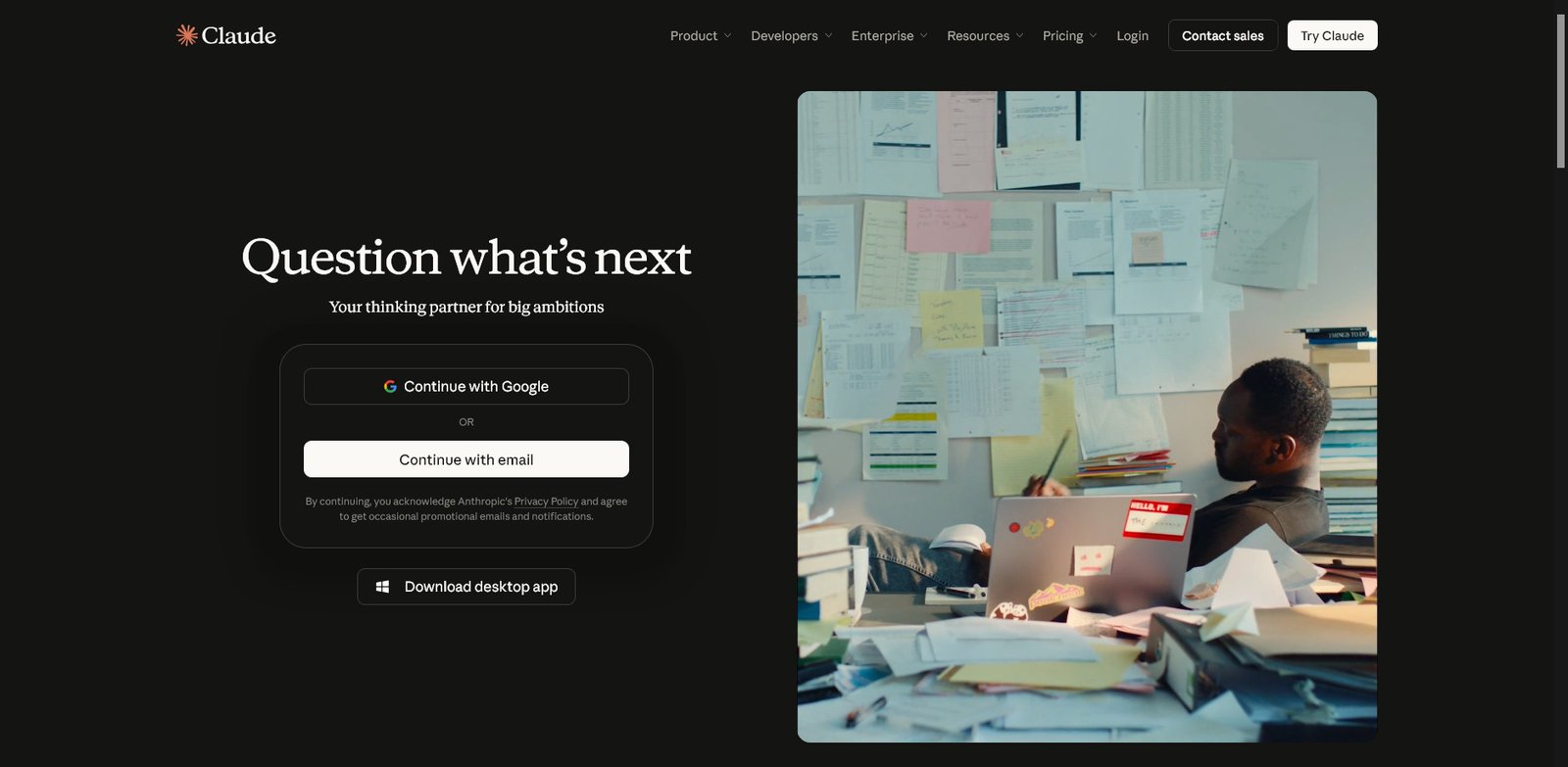
Claude AI Review (2026): Features, Pricing, Pros & Cons, and Is It Worth It?
Quick Summary
What is Claude AI?
Claude is an AI assistant developed by Anthropic. It helps users write content, analyze documents, generate code, conduct research, solve problems, and complete professional tasks.
Who should use it?
Content creators, SEO professionals, developers, researchers, students, freelancers, and business teams.
Key strengths:
- Natural-sounding content generation.
- Strong reasoning and instruction following.
- Document analysis and summarization.
- Coding assistance through Claude Code.
- Interactive content creation with Artifacts.
- Project-based knowledge management.
Main limitations:
- Usage limits can interrupt intensive workflows.
- Higher-capacity subscriptions are expensive.
- Generated information still requires fact-checking.
- Some advanced features depend on subscription level.
Overall rating: 4.7/5
Verdict: Claude is a capable AI assistant for people who need help with writing, research, coding, and complex knowledge work. Its free plan makes it accessible, while Pro offers a practical upgrade for regular users.
1. What Is Claude AI?
Claude is a family of artificial intelligence models and productivity tools developed by Anthropic, an AI research and technology company.
The platform is designed to understand natural-language instructions and assist with a wide range of tasks. Instead of focusing on a single application, Claude combines conversational AI with tools for writing, programming, document processing, research, and productivity.
Users can interact with Claude through its web application, desktop software, and mobile applications. Developers can also access its models through the Anthropic API.
Common applications include:
- Writing blog posts, articles, reports, and emails.
- Summarizing lengthy documents.
- Generating and debugging software code.
- Analyzing business information.
- Organizing research materials.
- Creating presentations and spreadsheets.
- Developing interactive prototypes and applications.
- Supporting repetitive professional workflows.
One of Claude’s most appealing characteristics is its ability to work with detailed instructions and substantial amounts of context.
For professionals who regularly handle complex information, this can make Claude more useful than a conventional question-and-answer chatbot.
Official website: https://claude.com/
2. Key Features of Claude AI
Claude offers a growing collection of features designed to support different types of professional and personal workflows.
2.1. AI Writing and Content Generation
Writing is one of Claude’s most useful applications.
It can generate articles, website copy, product descriptions, emails, reports, marketing materials, and social media content.
Users can provide detailed instructions about audience, tone, structure, formatting, and intended purpose. Claude can then produce a draft that follows those requirements.
For content creators and SEO professionals, useful applications include:
- Creating detailed article outlines.
- Developing content briefs.
- Rewriting existing content.
- Improving readability and sentence structure.
- Generating SEO titles and meta descriptions.
- Creating product descriptions.
- Developing comparison articles.
- Organizing topical content ideas.
- Repurposing long-form content.
Our assessment: Claude is particularly useful when writing tasks involve detailed instructions or substantial context. It can produce well-organized drafts, but those drafts should not automatically be considered publication-ready.
For professional publishing, original research, factual verification, editorial judgment, and practical experience remain essential.
2.2. Document Analysis and Summarization
Claude can analyze uploaded documents and help users extract information without manually reviewing every section.
This is particularly useful for people who work with lengthy reports, research papers, technical documentation, and business materials.
Possible applications include:
- Summarizing research papers.
- Extracting important information from reports.
- Comparing multiple documents.
- Identifying important contract provisions.
- Analyzing business documentation.
- Organizing information from research materials.
- Answering questions about uploaded files.
For example, a researcher could upload a report and ask Claude to identify its main findings, methodology, limitations, and conclusions.
The main advantage is convenience. Instead of searching through an entire document, users can interact with its contents conversationally.
However, document analysis is not error-free. Important figures, quotations, and conclusions should be checked against the original material.
2.3. Claude Projects
Projects allow users to organize related conversations, reference materials, and instructions into dedicated workspaces.
A project can contain its own knowledge base and instructions, helping Claude work with consistent context across related conversations.
For example, a content marketing professional might create separate projects for:
- SEO content production.
- Product research.
- Competitor analysis.
- Brand guidelines.
- Marketing campaigns.
- Editorial documentation.
Users can upload relevant reference materials and provide instructions about how Claude should approach tasks within each project.
This is particularly useful for recurring workflows where repeatedly explaining the same background information would otherwise become inconvenient.
Projects are available with paid subscriptions.
2.4. Claude Artifacts
Artifacts allow Claude to create standalone outputs rather than returning everything as ordinary conversational text.
Depending on the task, these outputs can include:
- Interactive web applications.
- Documents.
- Presentations.
- Dashboards.
- Data visualizations.
- Diagrams and flowcharts.
- Interactive prototypes.
- Small productivity tools.
For example, a user could request a simple expense calculator, an interactive dashboard, or a visual project management tool.
The resulting artifact can be viewed alongside the conversation, refined through additional instructions, and shared.
Artifacts are available across Claude’s individual and organizational plans, although certain advanced capabilities and integrations depend on the subscription.
This feature makes Claude particularly interesting for users who want to turn ideas into practical deliverables.
2.5. Claude Code
Claude Code is Anthropic’s coding assistant for developers.
It can work with existing codebases, investigate problems, modify files, generate code, and assist with multi-step development tasks.
Common applications include:
- Understanding unfamiliar repositories.
- Generating new code.
- Debugging existing applications.
- Refactoring software.
- Writing and reviewing tests.
- Investigating technical problems.
- Working with development tools.
- Automating repetitive programming tasks.
Unlike basic code generation, Claude Code is designed to work within broader development workflows.
Developers can use it through supported terminal and application interfaces.
It can save time on routine programming activities, but generated code should still undergo human review, testing, and security checks.
2.6. Research Capabilities
Claude includes Research capabilities for users who need more comprehensive information gathering.
Rather than producing a response from a single search, Research can investigate a topic through multiple searches and organize the findings into a structured answer.
Potential applications include:
- Industry research.
- Market analysis.
- Product research.
- Academic research.
- Business investigations.
- Technical research.
- Background research for articles.
Research is particularly useful when a question requires information from several sources.
Users should still inspect the supporting sources and verify important claims before relying on the findings.
2.7. File Creation and Data Analysis
Claude can create and edit files directly within conversations using its code execution capabilities.
Supported file formats include:
- Excel spreadsheets.
- PowerPoint presentations.
- Word documents.
- PDF files.
It can also analyze uploaded datasets, perform calculations, create charts, and generate structured reports.
For example, a business professional could provide a spreadsheet and ask Claude to identify trends, summarize performance, and produce a presentation containing the main findings.
This reduces the amount of manual work involved in turning raw information into usable business documents.
3. Claude AI Rating Snapshot
The following ratings are editorial assessments based on the product’s documented capabilities and positioning. They are not results from a controlled hands-on benchmark.
| Rating Category | Score |
|---|---|
| Content Quality | 4.9/5 |
| Reasoning and Problem-Solving | 4.8/5 |
| Coding Capabilities | 4.8/5 |
| Document Analysis | 4.8/5 |
| Ease of Use | 4.6/5 |
| Research Capabilities | 4.6/5 |
| Value for Money | 4.5/5 |
| Overall Rating | 4.7/5 |
Why Claude Scores 4.7/5
Claude earns a strong rating because of its combination of writing, reasoning, coding, and document-processing capabilities.
Its ability to support different types of knowledge work makes it a versatile productivity platform.
However, usage restrictions, premium subscription costs, and the possibility of inaccurate responses prevent it from receiving a perfect score.
4. Claude AI Pricing Snapshot
Claude offers individual subscriptions alongside plans designed for businesses and larger organizations.
The main individual options include Free, Pro, and Max. Anthropic’s current pricing information also identifies an Ultra tier.
| Plan | Advertised US Price | Ideal User | Main Benefits |
|---|---|---|---|
| Free | $0 | Beginners and occasional users | Basic Claude access and selected productivity features |
| Pro | $20/month or $200/year | Regular individual users | Increased usage, Projects, Research, and Claude Code |
| Max 5x | $100/month | Heavy individual users | Higher usage capacity and priority access |
| Max 20x / top individual tier | $200/month | Intensive daily users | Higher usage allowance and advanced access |
Pricing and plan naming can change. The exact available options should be confirmed on Anthropic’s official checkout and pricing pages.
Free Plan
The Free plan provides access to Claude without requiring a paid subscription.
Depending on availability, features include:
- AI conversations.
- Web search.
- File creation.
- Code execution.
- Memory across conversations.
- Artifacts.
- Supported integrations.
Best for: Beginners, students, and people who only need occasional AI assistance.
Main limitation: Usage restrictions can become noticeable when working on lengthy conversations or demanding tasks.
Pro Plan
Price: $20/month or $200/year in the United States.
Pro is designed for people who use Claude regularly.
It offers increased usage allowances and access to additional capabilities, including Claude Code, Research, and Projects.
Best for: Content creators, marketers, researchers, freelancers, and developers.
Main limitation: Users with particularly demanding workflows may still encounter usage restrictions.
Max Plan
Price: Starting at $100/month.
Max is designed for people who use Claude extensively throughout their working day.
Depending on the selected tier, it provides substantially higher usage allowances, increased output limits, and priority access during periods of high demand.
Best for: Professional developers, consultants, researchers, and other intensive users.
Main limitation: The higher monthly cost may not be justified for people with moderate AI usage.
Ultra / Higher-Capacity Subscription
Anthropic’s current plan information also identifies a $200/month Ultra option.
It is positioned for users who need particularly high usage capacity and longer working sessions.
Best for: Professionals who depend on Claude for substantial daily workloads.
Main limitation: It is an expensive individual subscription and is unlikely to provide sufficient additional value for casual users.
Pricing Recommendation
For most individual users, Pro is the most sensible starting point.
The Free plan is sufficient for exploring the platform, while Max and higher-capacity subscriptions make more sense when usage limits become a consistent obstacle.
Pricing disclaimer: Subscription prices, usage allowances, and included features can change. Regional pricing and taxes may also differ. Check the official pricing page before subscribing.
Official pricing: https://claude.com/pricing
5. Pros and Cons of Claude AI
Pros
- Strong writing quality: Produces structured, readable content and handles detailed writing instructions effectively.
- Advanced reasoning: Useful for analyzing information and working through multi-step problems.
- Document analysis: Helps users summarize and extract information from lengthy files.
- Developer capabilities: Claude Code supports broader software development workflows.
- Useful productivity features: Projects, Research, Artifacts, and file creation extend its functionality.
- Multiple access options: Available through web, desktop, and mobile applications.
- Free starting option: Users can explore the platform before purchasing a subscription.
Cons
- Usage restrictions: Even paid subscriptions have limits that can affect intensive workflows.
- Premium pricing: Higher-capacity subscriptions are expensive.
- Occasional inaccuracies: Claude can generate incorrect facts, calculations, and technical recommendations.
- Human verification required: Important professional decisions should not rely exclusively on AI-generated responses.
- Separate API billing: Individual chat subscriptions do not automatically include unlimited API usage.
- Feature differences: Certain capabilities depend on subscription level and regional availability.
6. Who Should Use Claude AI?
Claude is suitable for several professional and personal applications, although its greatest value comes from workflows involving substantial amounts of information.
| User Type | Main Applications | Suitability |
|---|---|---|
| Content Writers | Drafting, editing, and research | Excellent |
| SEO Professionals | Content briefs and optimization support | Excellent |
| Developers | Coding, debugging, and repository analysis | Excellent |
| Students | Explanations and study assistance | Very Good |
| Researchers | Document analysis and research | Excellent |
| Business Professionals | Reports and data analysis | Very Good |
| Marketing Teams | Campaign planning and copywriting | Excellent |
| Casual Users | Everyday questions and assistance | Very Good |
Claude for Content Writers
Claude is useful for writers who regularly produce long-form content.
It can help develop article outlines, organize research, improve existing drafts, and maintain consistent editorial guidelines.
For publishers, it can also support reusable content briefs and structured editorial workflows.
However, publishing unedited AI-generated content can result in generic articles. Original research, firsthand expertise, and editorial judgment remain important.
Claude for SEO Professionals
SEO professionals can use Claude to support content planning and production.
Practical applications include:
- Building topical content clusters.
- Creating search-intent-based outlines.
- Generating FAQ ideas.
- Developing product review structures.
- Improving article readability.
- Writing metadata.
- Identifying content gaps.
- Organizing internal linking opportunities.
Claude can help accelerate content workflows, but it does not replace dedicated keyword research, search performance analysis, or human editorial expertise.
Claude for Developers
Claude Code makes the platform especially useful for software developers.
It can assist with code generation, debugging, repository exploration, and repetitive development activities.
It is particularly valuable when developers need help understanding existing projects rather than generating isolated code snippets.
Claude for Students and Researchers
Claude can help explain difficult concepts, summarize academic materials, and organize research findings.
Its document analysis capabilities are useful when working with lengthy source materials.
Students should verify factual claims and follow their institutions’ academic integrity requirements.
Claude for Business Professionals
Business users can use Claude to prepare reports, analyze information, create presentations, and organize documentation.
It can also help transform raw information into structured deliverables.
Organizations should evaluate privacy controls, access management, and applicable data-handling policies before introducing it into sensitive workflows.
7. Claude AI vs Other AI Assistants
Claude competes in the broader AI assistant market, where several platforms offer overlapping capabilities.
| Platform | Main Strength | Best Suited For |
|---|---|---|
| Claude | Writing, reasoning, and coding | Professionals and developers |
| General-purpose AI assistants | Multimodal assistance and productivity | Everyday and professional tasks |
| Search-focused AI assistants | Web research and source discovery | Information gathering |
| Productivity-focused AI assistants | Workplace integrations | Business workflows |
The best choice depends on the tasks you need to complete, your preferred working environment, and your budget.
Claude’s strongest positioning is its combination of natural-language writing, document understanding, reasoning, and development capabilities.
8. Is Claude AI Safe and Reliable?
Claude is developed by Anthropic, a company that emphasizes AI safety and responsible AI development.
However, responsible development does not mean that every AI-generated response is accurate.
Like other generative AI systems, Claude can:
- Produce incorrect information.
- Misinterpret uploaded documents.
- Generate outdated information.
- Make mistakes in calculations.
- Produce code containing bugs or security issues.
- Present uncertain conclusions too confidently.
Users should also consider data privacy before uploading confidential business documents, customer information, or sensitive personal records.
For organizational use, review Anthropic’s applicable data policies, account settings, and enterprise controls.
Claude is best treated as an assistant that supports human decision-making rather than an infallible source of information.
9. Frequently Asked Questions About Claude AI
1. Is Claude AI free to use?
Yes. Claude offers a free plan that provides access to its AI assistant and selected productivity features. However, usage is limited. Users who need more capacity can upgrade to a paid subscription.
2. How much does Claude Pro cost?
Claude Pro costs $20 per month in the United States when billed monthly, or $200 per year with annual billing. Regional pricing, taxes, and available payment options may vary.
3. Can Claude AI write SEO-optimized articles?
Yes. Claude can generate blog posts, article outlines, content briefs, meta descriptions, and keyword-informed drafts. However, effective SEO content also requires search intent analysis, original information, accurate research, and human editorial review.
4. Can Claude AI generate and debug code?
Yes. Claude can generate code, explain programming concepts, identify potential bugs, and help modify existing projects. Claude Code offers additional functionality for developers working with larger codebases.
5. What is Claude Code used for?
Claude Code is a coding assistant designed to help developers work with software repositories, generate and modify code, investigate bugs, refactor applications, and complete multi-step development tasks.
10. Final Verdict: Is Claude AI Worth It?
Claude deserves consideration if you want an AI assistant capable of handling demanding writing, research, document analysis, and coding tasks.
Its biggest advantage is versatility. Rather than being limited to generating short answers, Claude can help users work with documents, organize projects, create professional deliverables, and approach complex problems.
The Free plan is a sensible starting point for occasional users. Pro is more appropriate for people who regularly depend on AI assistance, while Max and higher-capacity subscriptions target intensive workloads.
There are limitations. Usage restrictions can interrupt demanding workflows, premium subscriptions are relatively expensive, and generated information still requires verification.
Nevertheless, Claude is a compelling option for professionals who want an AI assistant that supports substantial knowledge work.
Overall Rating: 4.7/5
Best for: Content creators, SEO professionals, developers, researchers, and business users.
Final recommendation: Start with the Free plan and evaluate how well Claude fits your workflow. If you use it regularly and encounter usage restrictions, consider upgrading to Pro before committing to a more expensive subscription.