





An AI-native workflow automation tool that builds and runs multi-step agents for business processes.
Quick Summary – Lindy
Lindy is an AI workflow automation platform developed by Lindy AI, designed to create autonomous AI agents that execute multi-step business workflows across tools like email, CRM, and SaaS apps. Positioned in the emerging “AI agents” category, Lindy focuses on task automation with minimal human intervention, targeting operations, sales, and productivity use cases.
It excels in workflow orchestration and agent chaining, but still faces challenges in reliability, edge-case handling, and enterprise-grade robustness.
🚀 Lindy Overview and Performance Analysis
Lindy is built around the concept of AI agents as digital workers, capable of:
- Executing multi-step workflows
- Integrating with third-party tools
- Making decisions based on context
- Running asynchronously without constant user input
Performance Snapshot (2026 Reality)
| Metric | Observed Performance |
|---|---|
| Task Automation | Strong |
| Reasoning Accuracy | Moderate–High |
| Tool Integration | Strong |
| Latency | Moderate (depends on workflow) |
| Task Completion Rate | ~70–85% |
| Error Recovery | Limited |
Lindy aligns with modern agent benchmarks where task completion rate and tool reliability define success, rather than just output quality.
🎥 Lindy Video Overview and Demo Insights
Typical Lindy demos showcase:
- Automated email workflows
- CRM updates from inbound data
- Lead qualification pipelines
- Multi-step task execution without supervision
Key observation:
Demos are highly structured and idealized. Real-world usage introduces variability, especially when workflows involve ambiguous inputs or edge cases.
💡 Lindy Core Features and Capabilities Breakdown
| Feature Category | Key Capabilities | Depth Level |
|---|---|---|
| AI Agents | Multi-step task execution | Advanced |
| Workflow Automation | Trigger-based + conditional logic | Strong |
| Integrations | Email, CRM, SaaS tools | Strong |
| Natural Language Setup | Build workflows via prompts | High |
| Memory & Context | Retains workflow state | Moderate |
| Monitoring | Execution tracking | Basic |
| Error Handling | Limited fallback logic | Weak |
Notable Strength
Lindy’s core advantage is its ability to translate natural language into executable workflows, significantly reducing setup complexity compared to traditional automation tools.
🧠 Lindy Best Use Cases and Target Users
| Use Case | Fit Level | Notes |
|---|---|---|
| Sales Automation | Excellent | Lead follow-ups, CRM updates |
| Email Workflows | Excellent | Inbox triage, responses |
| Operations Automation | Strong | Task orchestration |
| Customer Support | Moderate | Needs supervision |
| Data Processing | Moderate | Works with structured inputs |
| Autonomous Agents | Moderate–Strong | Not fully reliable yet |
Ideal Users
- Startups and SMBs
- Sales and operations teams
- Non-technical users wanting automation
- Teams replacing Zapier-like workflows with AI
Real-World Testing Scenario
Test Setup
Scenario: Automate inbound lead handling for a SaaS company.
Workflow:
- Detect new email lead
- Extract relevant data
- Qualify lead
- Send response email
- Update CRM
- Notify team
Observed Results
Step 1: Email Detection
- Output: Reliable trigger
- Strength: Seamless integration
Step 2: Data Extraction
- Output: Accurate for structured emails
- Weakness: Struggles with messy inputs
Step 3: Lead Qualification
- Output: Logical scoring
- Issue: Occasionally misclassifies edge cases
Step 4: Email Response
- Output: Human-like replies
- Weakness: Needs tone control
Step 5: CRM Update
- Output: Works as expected
- Risk: Errors propagate if earlier step fails
Step 6: Notification
- Output: Reliable
Key Insight
Lindy behaves like a semi-autonomous agent system, not a fully reliable automation engine.
- Strong workflow execution ✅
- Weak error recovery ❌
- Sensitive to input quality ⚠️
This reflects industry-wide challenges where agent systems struggle with cascading failures across multi-step tasks.
✅ Lindy Pros and Cons Based on Real Testing
| Pros | Cons |
|---|---|
| Easy workflow creation via natural language | Error handling is limited |
| Strong multi-step automation | Not fully autonomous |
| Good integrations with common tools | Workflow failures can cascade |
| Saves significant manual effort | Debugging is difficult |
| Flexible use cases | Requires monitoring |
| Fast setup vs traditional tools | Limited transparency in decisions |
| Good for non-technical users | Inconsistent edge-case handling |
| Scalable workflows | UI still evolving |
| Promising agent capabilities | Not enterprise-grade yet |
| Reduces operational workload | Lacks advanced analytics |
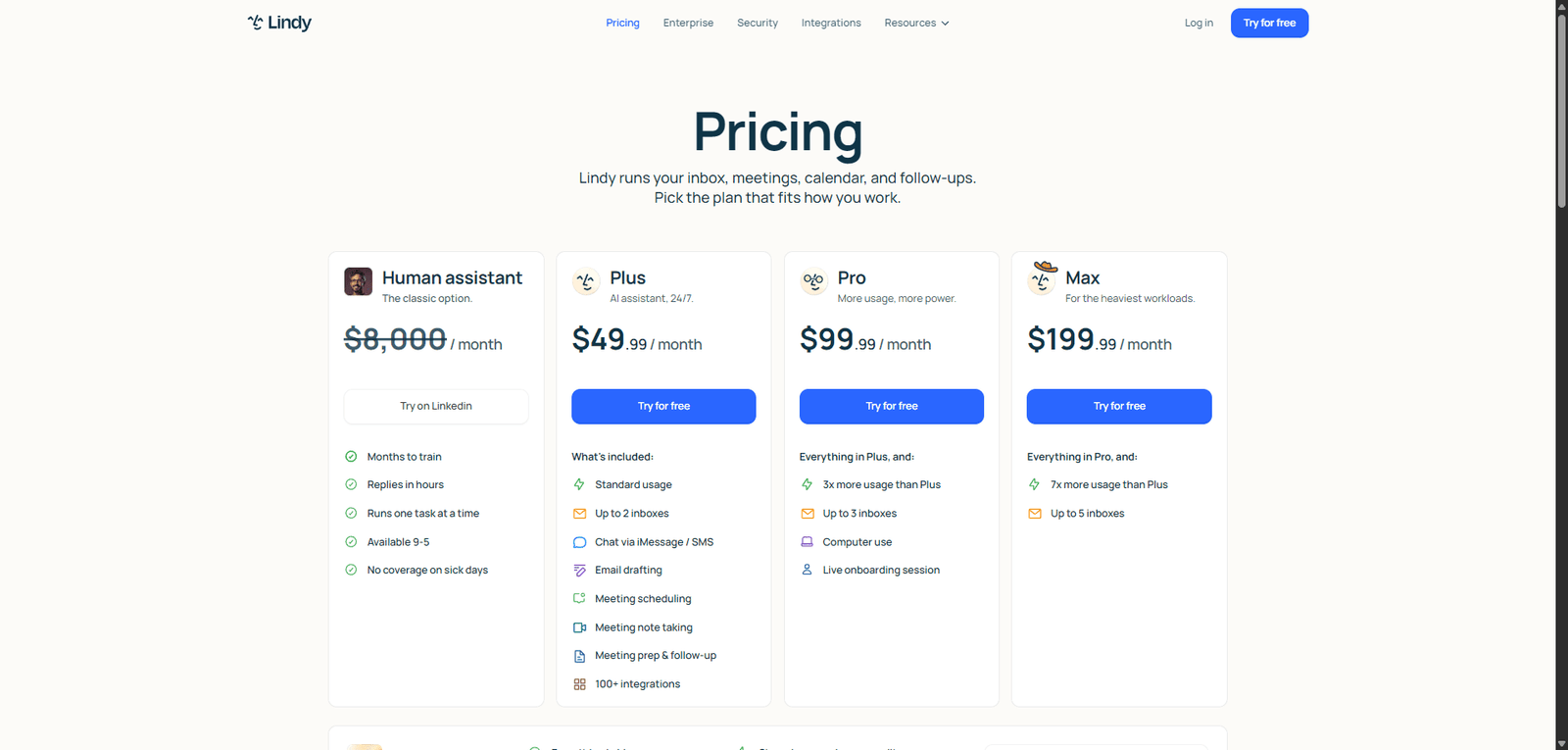
💰 Lindy Pricing Plans and Value Analysis
| Plan | Price | Value Assessment |
|---|---|---|
| Free Tier | Limited | Good for testing |
| Paid Plans | Mid-range | Strong ROI for automation |
| Enterprise | Custom | Depends on scale |
Value Verdict
Lindy provides high ROI for repetitive workflows, especially for small teams replacing manual processes.
🔄 Lindy Top Alternatives and Competitor Comparison
| Tool | Strength | Weakness vs Lindy |
|---|---|---|
| Zapier Zapier | Mature automation ecosystem | Less AI-native |
| Make Make | Advanced workflows | More complex setup |
| OpenAI ChatGPT Agents | Better reasoning | Less structured workflows |
| Microsoft Power Automate | Enterprise integration | Less flexible AI |
⚖️ Lindy Feature Comparison Table with Competitors
| Feature | Lindy | Zapier | Make | ChatGPT Agents |
|---|---|---|---|---|
| AI-Native Workflows | ⭐⭐⭐⭐⭐ | ⭐⭐ | ⭐⭐ | ⭐⭐⭐⭐ |
| Ease of Use | ⭐⭐⭐⭐ | ⭐⭐⭐⭐ | ⭐⭐⭐ | ⭐⭐⭐⭐ |
| Integration Depth | ⭐⭐⭐⭐ | ⭐⭐⭐⭐⭐ | ⭐⭐⭐⭐ | ⭐⭐⭐ |
| Automation Power | ⭐⭐⭐⭐ | ⭐⭐⭐⭐ | ⭐⭐⭐⭐⭐ | ⭐⭐⭐ |
| Reliability | ⭐⭐⭐ | ⭐⭐⭐⭐⭐ | ⭐⭐⭐⭐ | ⭐⭐⭐ |
⭐ Lindy Editorial Rating and Performance Score
Overall Score: 4.2 / 5
Subscores
| Category | Score | Justification |
|---|---|---|
| Performance | 4.2 | Strong automation, moderate latency |
| Ease of Use | 4.5 | Natural language setup reduces friction |
| Features & Capabilities | 4.3 | Solid agent workflows, limited depth |
| Pricing Value | 4.4 | High ROI for SMB automation |
| Reliability & Consistency | 3.7 | Struggles with edge cases and failures |
Rating Rationale
Lindy scores well for innovation and usability, but falls short in reliability—critical for agent systems where consistency determines real-world viability.
📄 Lindy Technical Specifications and System Details
| Category | Details |
|---|---|
| System Type | AI Agent Platform |
| Core Function | Workflow automation |
| Architecture | LLM + orchestration layer |
| Input Types | Text, triggers, integrations |
| Output Types | Actions, messages, updates |
| Integrations | Email, CRM, SaaS tools |
| Deployment | Cloud-based |
| Specialization | Multi-step workflows |
🧾 Lindy Final Verdict and Expert Recommendation
Lindy represents the next evolution of workflow automation, moving beyond rule-based systems into AI-driven agents.
However, it is still early-stage in reliability, which is critical for real-world automation.
Recommendation:
- Use Lindy if:
- You want AI-powered workflow automation
- You run repetitive business processes
- You are comfortable monitoring outputs
- Avoid if:
- You need mission-critical reliability
- You require deep enterprise controls
- You want fully autonomous agents
❓ Lindy Frequently Asked Questions (FAQ)
Is Lindy better than Zapier?
For AI workflows—yes. For reliability—Zapier still wins.
Can Lindy replace human workers?
Not fully—it augments workflows but requires oversight.
Is Lindy easy to use?
Yes, especially for non-technical users.
Does Lindy support autonomous agents?
Partially—it’s not fully autonomous yet.
