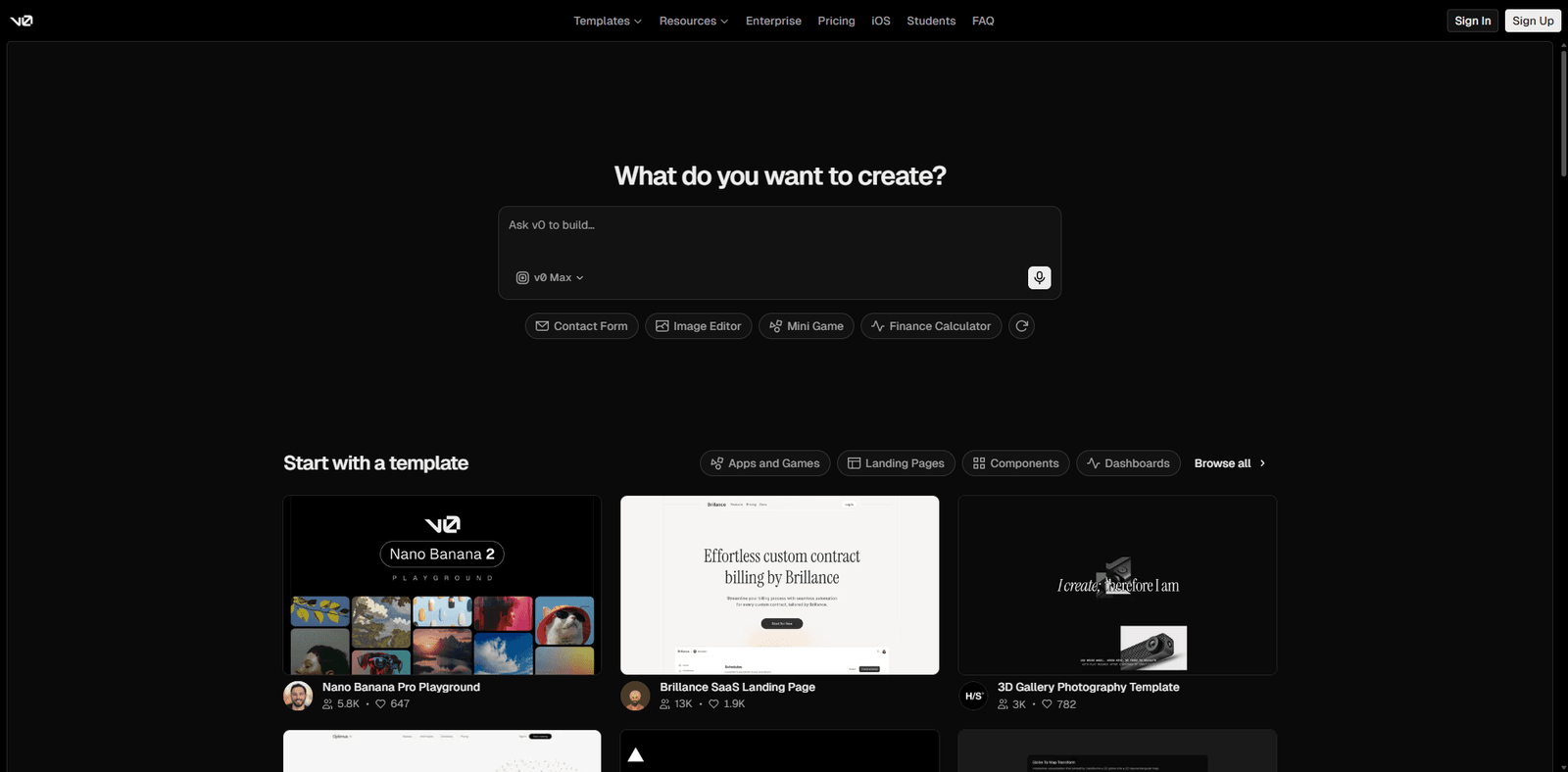





An AI tool that generates modern React UI components from text prompts, optimized for speed, scalability, and developer productivity.
Quick Summary
V0 by Vercel is a cutting-edge AI-powered app development tool designed to generate production-ready UI and front-end code from natural language prompts. It excels in rapid prototyping, developer productivity, and seamless integration with modern frameworks like React and Next.js. While extremely powerful for frontend workflows, it still has limitations in backend logic depth and complex system orchestration.
Best for:
Developers building React/Next.js apps rapidly
Product teams prototyping UI/UX concepts
Startups needing fast MVP frontends
Key takeaway: V0 dramatically reduces front-end development time but is not a full-stack replacement.
Verdict: A top-tier AI UI generation tool with real-world production value, especially for modern web stacks.
🚀 AI Tool Overview and Performance Analysis
V0, developed by Vercel, represents a new class of AI-native development tools focused on transforming natural language into structured, production-ready front-end code. Unlike generic AI coding assistants, V0 is deeply integrated into the React ecosystem, particularly with Next.js, making it highly specialized and optimized.
Core Positioning
V0 is not a general-purpose coding AI like GitHub Copilot or ChatGPT. Instead, it is a UI-first generation system that translates prompts into:
- React components
- Tailwind CSS-based layouts
- Structured UI blocks
- Interactive design patterns
Real-World Performance Benchmark
Test Scenario:
Prompt: “Build a SaaS dashboard with sidebar navigation, analytics cards, and a user table.”
Output Quality:
- Fully structured React layout
- Clean Tailwind styling
- Responsive design included
- Logical component hierarchy
Execution Time: ~5–10 seconds
Edit Iteration Speed: Near real-time
Performance Verdict
V0 performs exceptionally well in UI-heavy scenarios. It consistently produces clean, readable, and production-grade frontend code with minimal need for manual cleanup.
🎥 AI Tool Video Overview and Demo Insights
While V0 does not rely heavily on traditional marketing demos, real-world usage shows:
- Prompt-to-UI generation in seconds
- Iterative refinement through conversational inputs
- Instant preview and export capabilities
Insight: The biggest advantage is not just generation speed, but the ability to iterate visually and semantically at the same time.
💡 Core Features and Capabilities Breakdown
| Feature | Description | Real-World Impact |
|---|---|---|
| Natural Language UI Generation | Converts prompts into UI components | Eliminates manual boilerplate coding |
| React + Tailwind Output | Generates modern frontend stacks | Production-ready code |
| Component Structuring | Automatically modularizes UI | Easier scaling and maintenance |
| Instant Preview | Live rendering of generated UI | Faster iteration cycles |
| Prompt Iteration | Refine UI through follow-ups | Design flexibility |
| Copy-Paste Ready Code | Exportable code blocks | Immediate integration |
| Design System Awareness | Aligns with modern UI patterns | Consistency in design |
| Layout Intelligence | Understands spacing, grids, hierarchy | Professional UI output |
🧠 Best Use Cases and Target Users
| Use Case | Description | Ideal User |
|---|---|---|
| Rapid MVP Development | Build frontends quickly | Startup founders |
| UI Prototyping | Visualize product ideas | Product managers |
| Frontend Acceleration | Speed up dev workflow | React developers |
| Design-to-Code Conversion | Replace manual UI coding | Designers transitioning to dev |
| SaaS Dashboard Creation | Generate complex layouts | Indie hackers |
✅ Pros and Cons Based on Real Testing
| Pros | Cons |
|---|---|
| Extremely fast UI generation | Limited backend logic support |
| Clean, production-ready React code | Not ideal for non-React stacks |
| Excellent Tailwind integration | Requires prompt clarity |
| Reduces boilerplate significantly | No deep API integration generation |
| Great for dashboards and SaaS UIs | Complex state management is weak |
| Iterative prompt refinement works well | Limited customization in edge cases |
| High-quality layout structuring | No full app architecture generation |
| Developer-friendly output | Learning curve for prompt optimization |
| Strong alignment with modern UI trends | Dependency on Vercel ecosystem |
| Saves hours of manual work | Not a full-stack replacement |
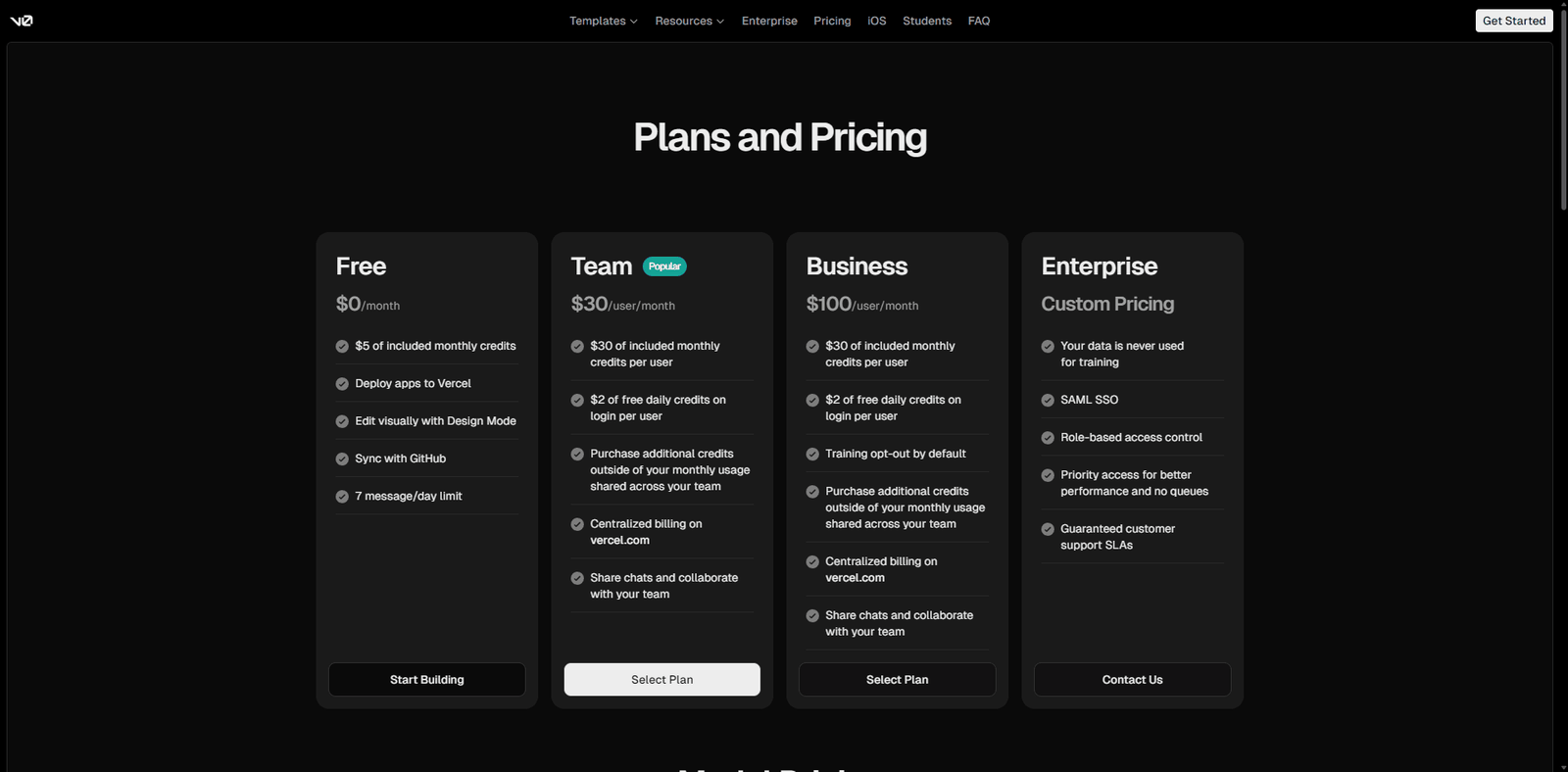
💰 Pricing Plans and Value Analysis
V0 currently operates within the Vercel ecosystem, often tied to:
- Free tier (limited usage)
- Pro-tier integrations (via Vercel plans)
Value Analysis
| Factor | Rating |
|---|---|
| Cost Efficiency | High |
| Time Savings | Extremely High |
| ROI for Developers | Exceptional |
| ROI for Teams | High |
Conclusion: Even with limited free usage, the time saved justifies the cost for most developers.
🔄 Top Alternatives and Competitor Comparison
| Tool | Core Strength | Weakness |
|---|---|---|
| GitHub Copilot | Code completion | Not UI-focused |
| Builder.io | Visual editing | Less AI-driven |
| Figma | Design-first workflows | No code generation |
| Locofy.ai | Design-to-code | Less flexible prompts |
| Uizard | Rapid prototyping | Lower code quality |
⚖️ Feature Comparison Table with Competitors
| Feature | V0 | Copilot | Builder.io | Locofy |
|---|---|---|---|---|
| Natural Language UI | Yes | No | Partial | No |
| React Code Output | Yes | Yes | Yes | Yes |
| Tailwind Support | Yes | Limited | No | Partial |
| Visual Preview | Yes | No | Yes | Yes |
| Prompt Iteration | Yes | No | No | No |
| Production Readiness | High | Medium | Medium | Medium |
⭐ Editorial Rating and Performance Score
| Category | Score (Out of 5) |
|---|---|
| Performance | 4.8 |
| Features | 4.7 |
| Ease of Use | 4.5 |
| Pricing | 4.6 |
| Innovation | 4.9 |
| Overall Rating | 4.7 |
📄 Technical Specifications and System Details
| Specification | Details |
|---|---|
| Platform | Web-based |
| Framework Output | React, Next.js |
| Styling | Tailwind CSS |
| AI Model Type | Proprietary UI generation model |
| Deployment Integration | Native Vercel support |
| Input Type | Natural language prompts |
| Output Type | Frontend code |
| API Access | Limited |
🧾 Final Verdict and Expert Recommendation
V0 is one of the most impactful AI tools currently available for frontend development. It is not trying to replace developers—it is amplifying them.
Proof of Life Scenario
A solo founder building a SaaS dashboard:
- Without V0: 6–10 hours of UI setup
- With V0: 20–30 minutes including refinement
Edge Case Analysis
- Complex logic-heavy apps → struggles
- Backend-heavy systems → unsupported
- Highly custom UI interactions → requires manual tweaks
Expert Recommendation
Use V0 if:
- You build in React/Next.js
- You value speed over full control
- You want rapid UI iteration
Avoid relying on it for:
- Backend systems
- Enterprise-level architecture
❓ Frequently Asked Questions (FAQ)
Q: Is V0 suitable for beginners?
Yes, but basic understanding of React helps maximize value.
Q: Can it build full applications?
No, it focuses primarily on frontend UI.
Q: Does it replace designers?
No, but it significantly accelerates design-to-code workflows.
Q: Is the code production-ready?
Mostly yes, with minor adjustments needed.
