



EnConvo is a powerful AI agent launcher tailored for macOS, offering a fast and efficient way to automate desktop workflows. With strong system integration and AI-driven capabilities, it represents a new wave of desktop productivity tools, though it is best suited for users comfortable exploring advanced automation features.
Category: AI Agent Builder / macOS Productivity Tool
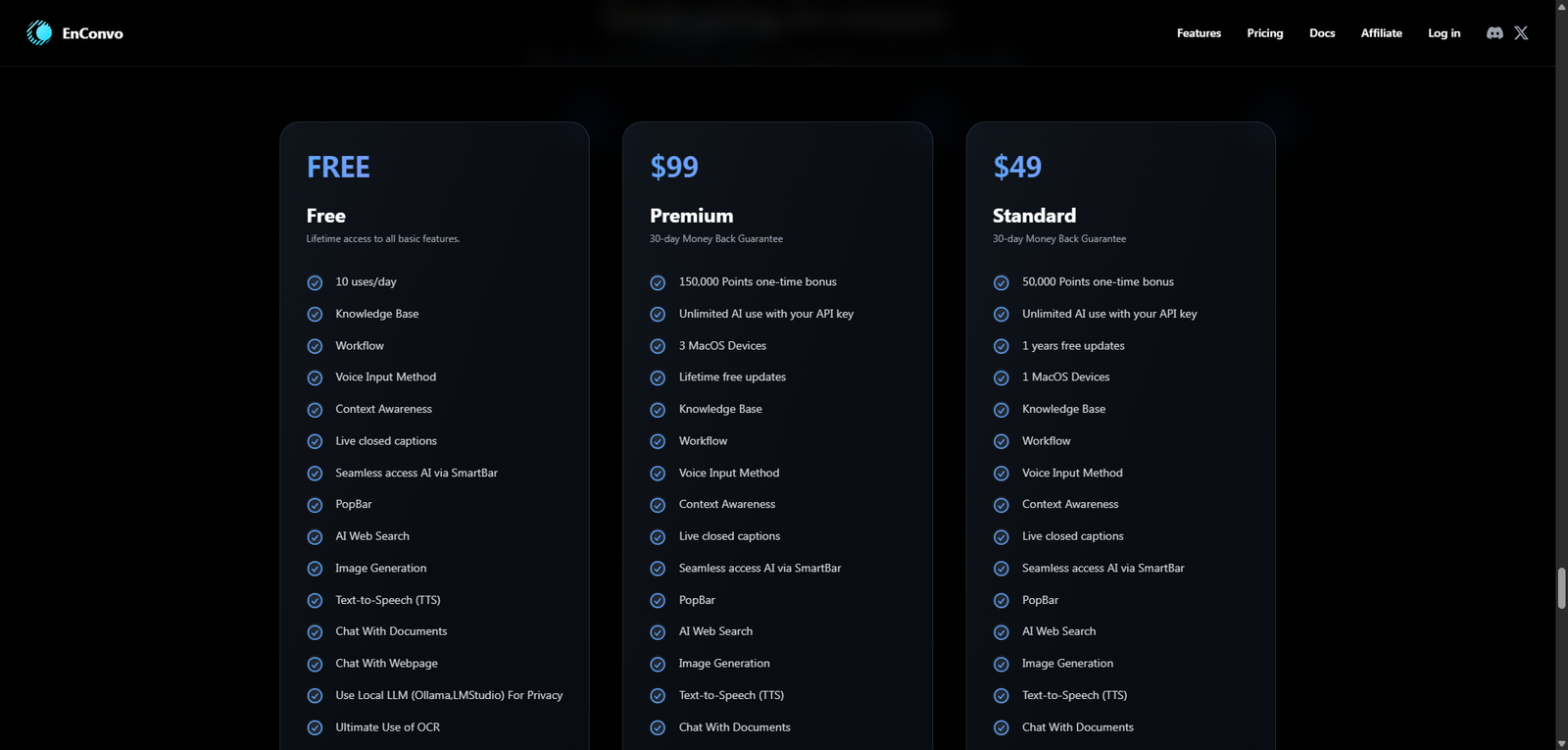
Pricing Snapshot
| Plan | Price | Notes |
|---|---|---|
| Free Tier | Likely available | Basic features or limited usage |
| Pro Plan | Not clearly disclosed | Expected subscription or license model |
| Lifetime / Desktop License | Possible | Common among macOS tools |
Pricing Transparency: Medium–Low — partial information available
Source Type
- Product positioning and macOS-focused AI tool descriptions
- Comparative insights with desktop automation tools
- Early-stage product evaluation
Overview
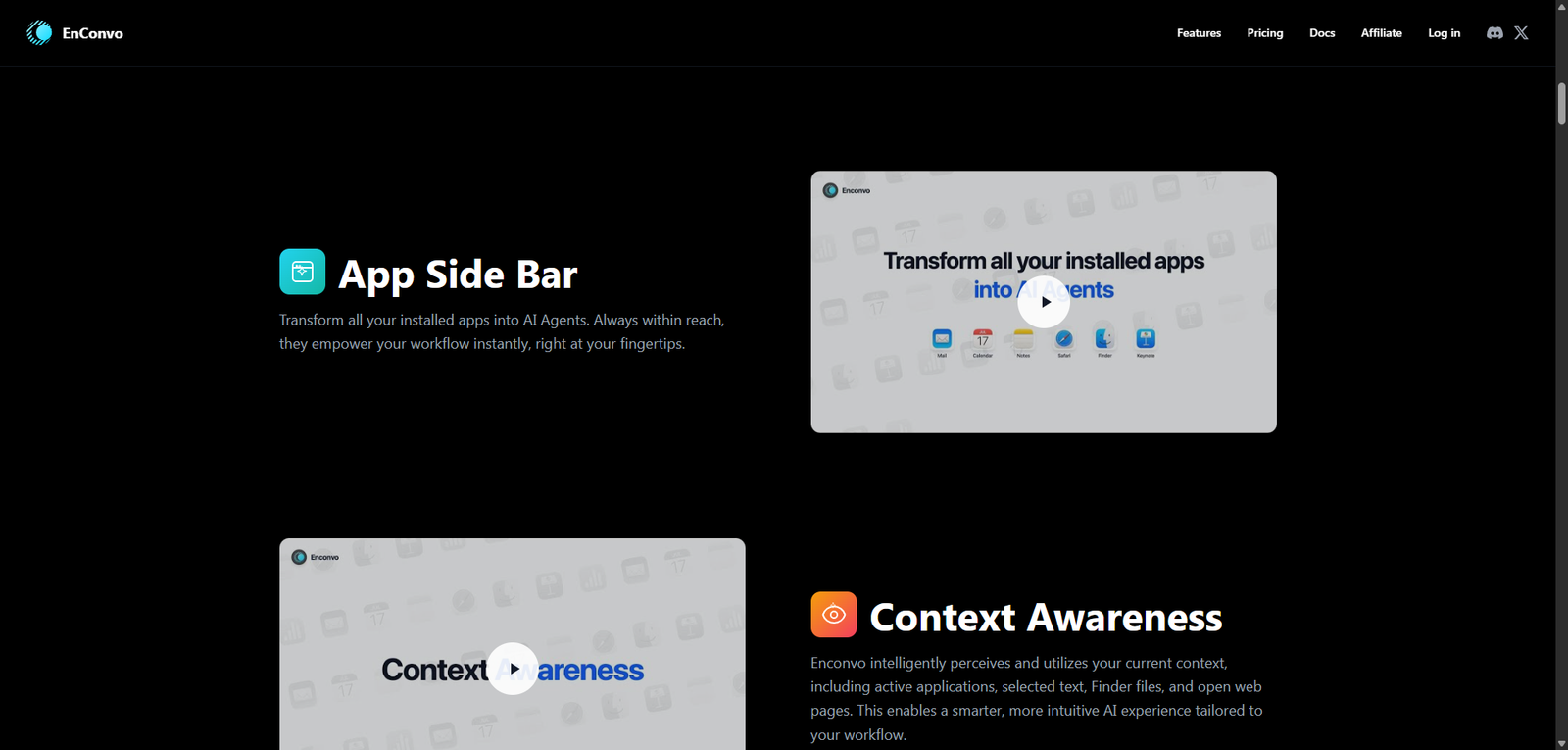
EnConvo is an AI agent launcher built specifically for macOS, designed to automate everyday tasks directly from the desktop. Unlike browser-based AI tools, EnConvo operates as a native productivity layer, enabling users to trigger AI agents that interact with files, apps, and system-level workflows.
The platform focuses on speed, accessibility, and deep OS integration, making it particularly appealing for:
- Power users on macOS
- Developers and creators
- Professionals looking to streamline repetitive desktop tasks
EnConvo essentially acts as a command center for AI-driven automation, bridging the gap between large language models and real-world desktop operations.
Key Features
1. AI Agent Launcher
- Launch agents instantly via shortcuts or commands
- Designed for rapid task execution
- Supports multiple agents for different workflows
2. Native macOS Integration
- Works directly with files, folders, and system tools
- Enables automation across apps
- Optimized for macOS performance and UX
3. Task Automation on Desktop
- Automates repetitive actions like file management, text processing, and app control
- Reduces manual navigation and clicks
- Ideal for daily productivity workflows
4. Command Palette Experience
- Similar to tools like Spotlight or Raycast
- Fast input-driven interface
- Minimizes disruption to workflow
5. Extensible Agent Capabilities
- Likely supports custom agent creation
- Potential integration with APIs and external tools
- Adaptable for personal or professional use cases
Use Cases
Desktop Productivity Automation
- Quickly generate summaries or content
- Automate file organization
- Execute routine commands with AI assistance
Developer Workflows
- Run scripts or commands using AI prompts
- Automate coding-related tasks
- Assist with debugging and documentation
Content Creation
- Draft emails, notes, or documents
- Process and transform text
- Manage creative workflows
System-Level Task Execution
- Control apps and workflows via AI
- Trigger multi-step operations from a single command
- Enhance multitasking efficiency
Pros and Cons
Pros
- Deep macOS-native integration
- Fast, keyboard-driven workflow
- Reduces friction in daily desktop tasks
- Combines AI with system-level control
- Suitable for power users and professionals
Cons
- Limited to macOS ecosystem
- Pricing and licensing not fully transparent
- May require setup and customization
- Not ideal for non-technical users
- Ecosystem still evolving
Feature Comparison
| Feature | EnConvo | Raycast | Browser-Based AI Tools |
|---|---|---|---|
| Native macOS Integration | Yes | Yes | No |
| AI Agent Automation | Yes | Partial | Yes |
| System-Level Control | Yes | Limited | No |
| Speed & Accessibility | High | High | Medium |
| Offline/Desktop Use | Yes | Yes | No |
Alternatives
| Tool | Best For | Key Difference |
|---|---|---|
| Raycast | macOS productivity | Less AI agent-focused |
| Alfred | Automation workflows | Rule-based, less AI-driven |
| ChatGPT Desktop | General AI usage | Not deeply integrated with OS |
| Keyboard Maestro | Advanced automation | No AI capabilities |
Verdict
EnConvo stands out as a desktop-first AI agent launcher, bringing automation directly into the macOS environment. Its strength lies in combining:
- AI capabilities
- System-level control
- Fast, keyboard-driven interaction
This makes it a strong option for users who want AI embedded into their daily desktop workflow, rather than confined to a browser tab.
However, limitations include:
- macOS exclusivity
- Limited transparency around pricing
- Early-stage ecosystem maturity
Best suited for:
- macOS power users
- Developers and productivity enthusiasts
- Professionals seeking workflow optimization
Not ideal for:
- Windows or cross-platform users
- Beginners looking for plug-and-play simplicity
- Teams needing enterprise-grade solutions
Rating
| Category | Score |
|---|---|
| Features | 4.4 / 5 |
| Ease of Use | 3.8 / 5 |
| macOS Integration | 4.7 / 5 |
| Pricing Transparency | 3.0 / 5 |
| Overall | 4.1 / 5 |
FAQ
What is EnConvo used for?
EnConvo is used to launch AI agents that automate tasks directly on macOS, including file management, content generation, and system operations.
Is EnConvo better than Raycast?
It depends on use case. EnConvo focuses more on AI agents, while Raycast is a broader productivity launcher with lighter AI features.
Does EnConvo work offline?
Core launcher features likely work offline, but AI functionality typically requires an internet connection.
Is EnConvo beginner-friendly?
It may require some setup and familiarity with automation tools, making it better suited for intermediate users.
Is EnConvo available on Windows?
No, it is designed specifically for macOS.