

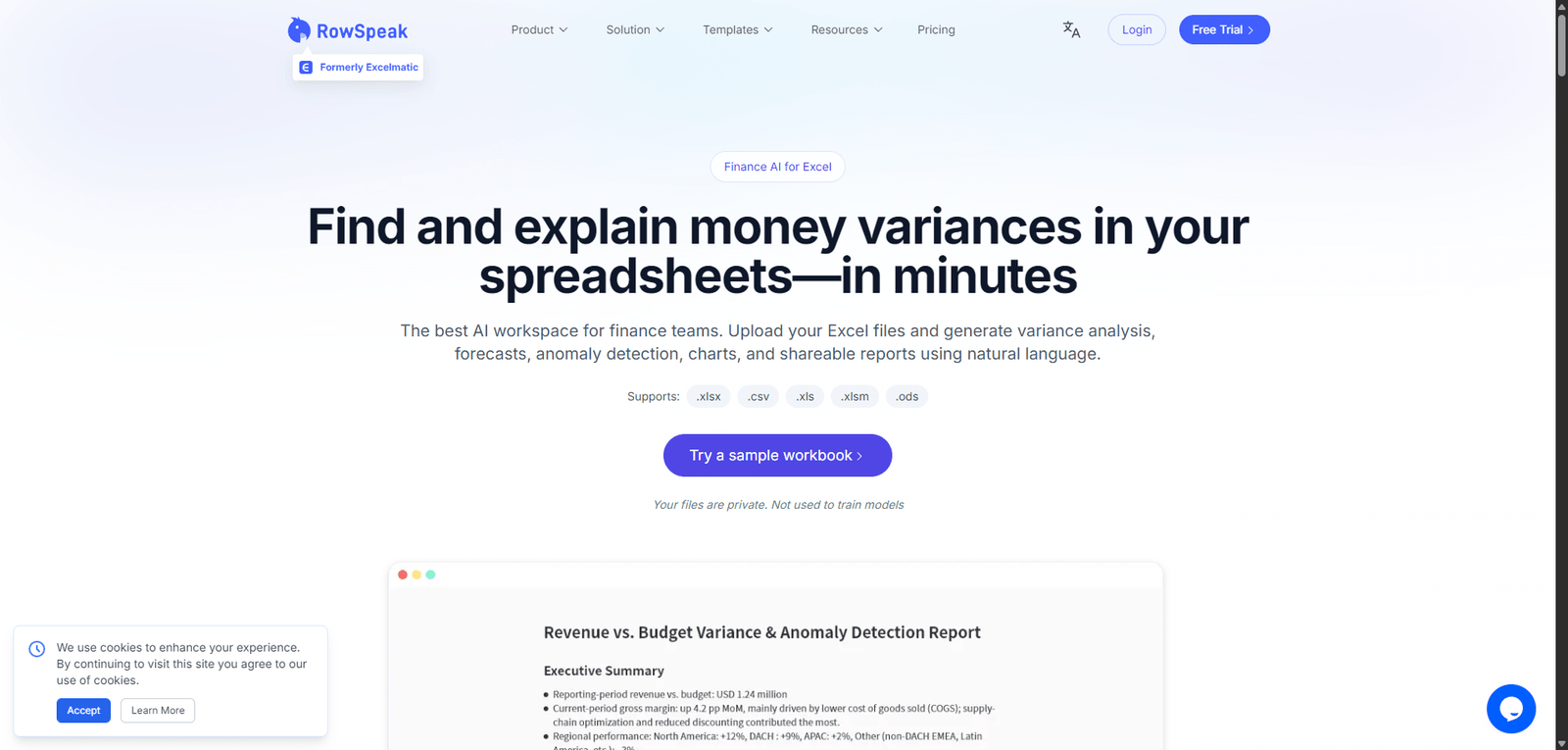




Excelmatic is an AI-powered Excel assistant that helps users automate spreadsheet tasks, generate formulas, and analyze data more efficiently. It is best suited for business users and teams looking to enhance productivity, while advanced users may require more powerful analytics platforms.
Category: Data Analysis / AI Spreadsheet
Pricing Snapshot
| Plan | Price | Notes |
|---|---|---|
| Free Trial | Available | Limited features and usage |
| Pro Plan | From ~$10–$30/month | Advanced AI features |
| Team / Business | Custom | Collaboration and scaling |
| Enterprise | Custom | Advanced integrations and support |
Pricing Transparency: Medium — general tiers available, advanced pricing varies
Source Type
- Product positioning and AI spreadsheet trends
- Automation and Excel productivity tools
- Comparison with AI-powered spreadsheet assistants
Overview
Excelmatic is an AI-powered spreadsheet automation tool designed to enhance Excel workflows by generating formulas, automating analysis, and simplifying reporting through natural language input.
It is built to help users:
- Automate Excel tasks without complex formulas
- Generate insights from spreadsheets
- Reduce manual data processing
- Improve productivity in data-heavy workflows
Excelmatic positions itself as an AI assistant for Excel users, bridging the gap between manual spreadsheet work and intelligent automation.
Key Features
1. AI Formula Generation
- Convert natural language into Excel formulas
- Reduce need for advanced Excel knowledge
- Speed up spreadsheet creation
2. Automated Data Analysis
- Analyze datasets quickly
- Identify trends and patterns
- Generate summaries automatically
3. Smart Reporting & Insights
- Create reports from spreadsheet data
- Highlight key metrics
- Improve decision-making
4. Natural Language Interface
- Ask questions about your data
- Receive instant results
- Simplify complex queries
5. Excel Integration (Core Focus)
- Works within Excel workflows
- Enhances existing spreadsheets
- Reduces manual effort
6. Productivity Automation
- Automate repetitive spreadsheet tasks
- Improve workflow efficiency
- Save time on data processing
Use Cases
Business Reporting
- Generate reports from raw data
- Automate KPI tracking
- Improve decision-making
Financial Analysis
- Analyze budgets and forecasts
- Automate calculations
- Reduce manual errors
Marketing Analytics
- Track campaign performance
- Generate insights
- Optimize strategies
General Excel Productivity
- Create formulas quickly
- Automate repetitive tasks
- Improve workflow efficiency
Pros and Cons
Pros
- Simplifies complex Excel tasks using AI
- Strong natural language interface
- Saves time on formula creation and analysis
- Useful for non-technical users
- Enhances existing Excel workflows
Cons
- Limited transparency on integrations and capabilities
- May not support highly complex Excel models
- Requires clean and structured data
- Pricing details not fully clear
- Dependent on Excel ecosystem
Feature Comparison
| Feature | Excelmatic | Excel + Copilot | Quadratic |
|---|---|---|---|
| AI Formula Generation | Yes | Yes | Yes |
| Natural Language Queries | Yes | Yes | Yes |
| Spreadsheet Integration | High | High | Medium |
| Advanced Analytics | Medium | High | High |
| Ease of Use | High | High | Medium |
Alternatives
| Tool | Best For | Key Difference |
|---|---|---|
| Excel + Copilot | Native AI in Excel | Deep Microsoft integration |
| Google Sheets + AI | Cloud spreadsheets | Easier collaboration |
| Quadratic | AI + Python spreadsheets | More developer-focused |
| Rows AI | AI spreadsheets | Web-based alternative |
Verdict
Excelmatic is a practical AI tool for Excel users that simplifies formula creation, data analysis, and reporting, making it especially valuable for users who want to increase productivity without deep spreadsheet expertise.
Its strengths include:
- Natural language formula generation
- Automation of repetitive tasks
- Improved accessibility for non-experts
However, limitations include:
- Limited advanced analytics depth
- Dependence on Excel workflows
- Pricing and feature transparency
Best suited for:
- Business professionals using Excel daily
- Non-technical users needing automation
- Teams handling repetitive spreadsheet tasks
Not ideal for:
- Advanced data scientists
- Users needing full BI platforms
- Highly complex financial modeling
Rating
| Category | Score |
|---|---|
| Features | 4.4 / 5 |
| Ease of Use | 4.7 / 5 |
| Productivity Impact | 4.6 / 5 |
| Pricing Transparency | 3.1 / 5 |
| Overall | 4.4 / 5 |
FAQ
What is Excelmatic used for?
Excelmatic is used to automate Excel tasks, generate formulas, and analyze data using AI.
Does Excelmatic require Excel knowledge?
No, it simplifies tasks using natural language input.
Is Excelmatic better than Excel Copilot?
It offers similar capabilities but may differ in integration depth and ecosystem.
Can Excelmatic analyze large datasets?
Yes, but performance may depend on data complexity.
Who should use Excelmatic?
Business users, analysts, and anyone working with spreadsheets.
