

Quadratic is an innovative AI spreadsheet platform that combines traditional data handling with modern AI and coding capabilities, making it a strong choice for users seeking flexible and advanced data analysis tools.
Category: Data Analysis / AI Spreadsheet
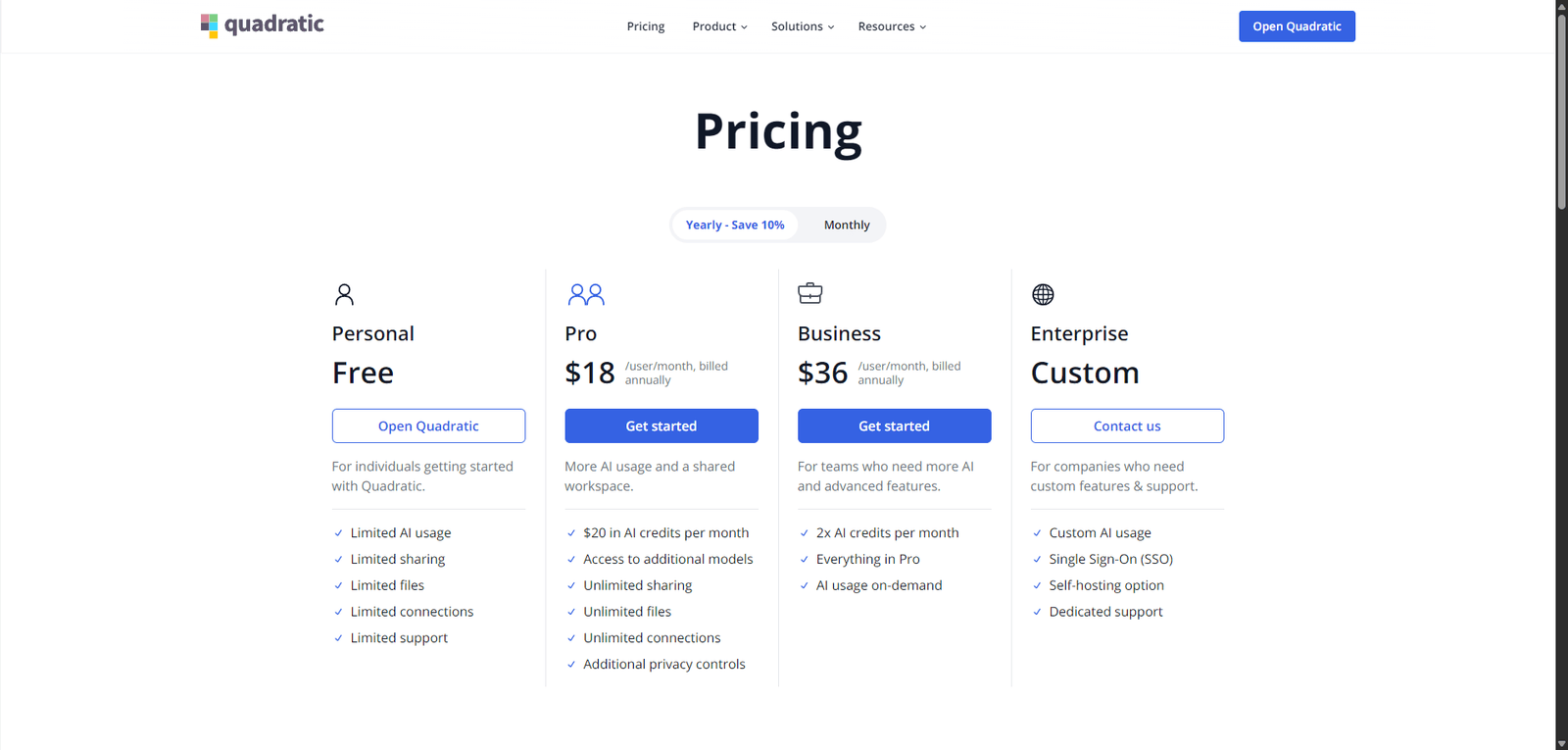
Pricing Snapshot
| Plan | Price | Notes |
|---|---|---|
| Free Plan | Available | Core features with limitations |
| Pro Plan | From ~$20/month | Advanced features and higher limits |
| Team / Enterprise | Custom | Collaboration and scaling options |
Pricing Transparency: Medium — basic tiers visible, advanced pricing may vary
Source Type
- Product positioning and AI spreadsheet analysis
- Modern data analysis and spreadsheet trends
- Comparison with traditional and AI-powered spreadsheet tools
Overview
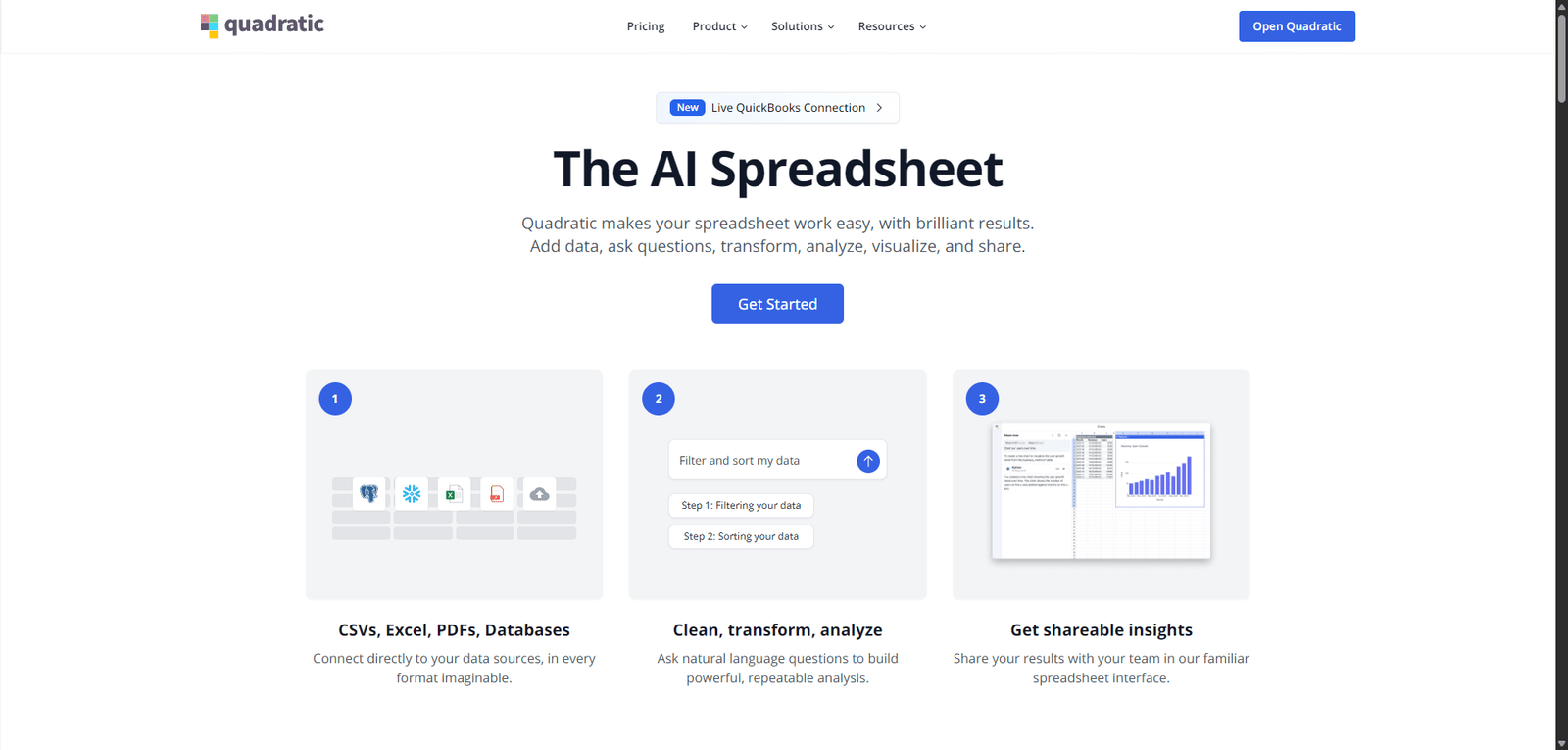
Quadratic is a next-generation spreadsheet platform that combines traditional spreadsheet functionality with AI, code execution, and real-time collaboration, designed to modernize how users analyze data.
Unlike legacy tools, Quadratic integrates:
- AI-powered data analysis
- Python execution inside spreadsheets
- Real-time collaboration
- Interactive data workflows
It positions itself as a developer-friendly spreadsheet alternative, bridging the gap between Excel-style usability and modern data science capabilities.
Key Features
1. AI-Powered Data Analysis
- Analyze data using natural language prompts
- Generate insights automatically
- Reduce manual calculations and formulas
2. Built-in Python Execution
- Run Python code directly in cells
- Perform advanced data analysis
- Enable data science workflows inside spreadsheets
3. Real-Time Collaboration
- Work with teams simultaneously
- Share and edit data in real time
- Improve productivity and teamwork
4. Spreadsheet Interface (Modernized)
- Familiar grid-based layout
- Enhanced functionality beyond traditional spreadsheets
- Combine formulas, code, and AI
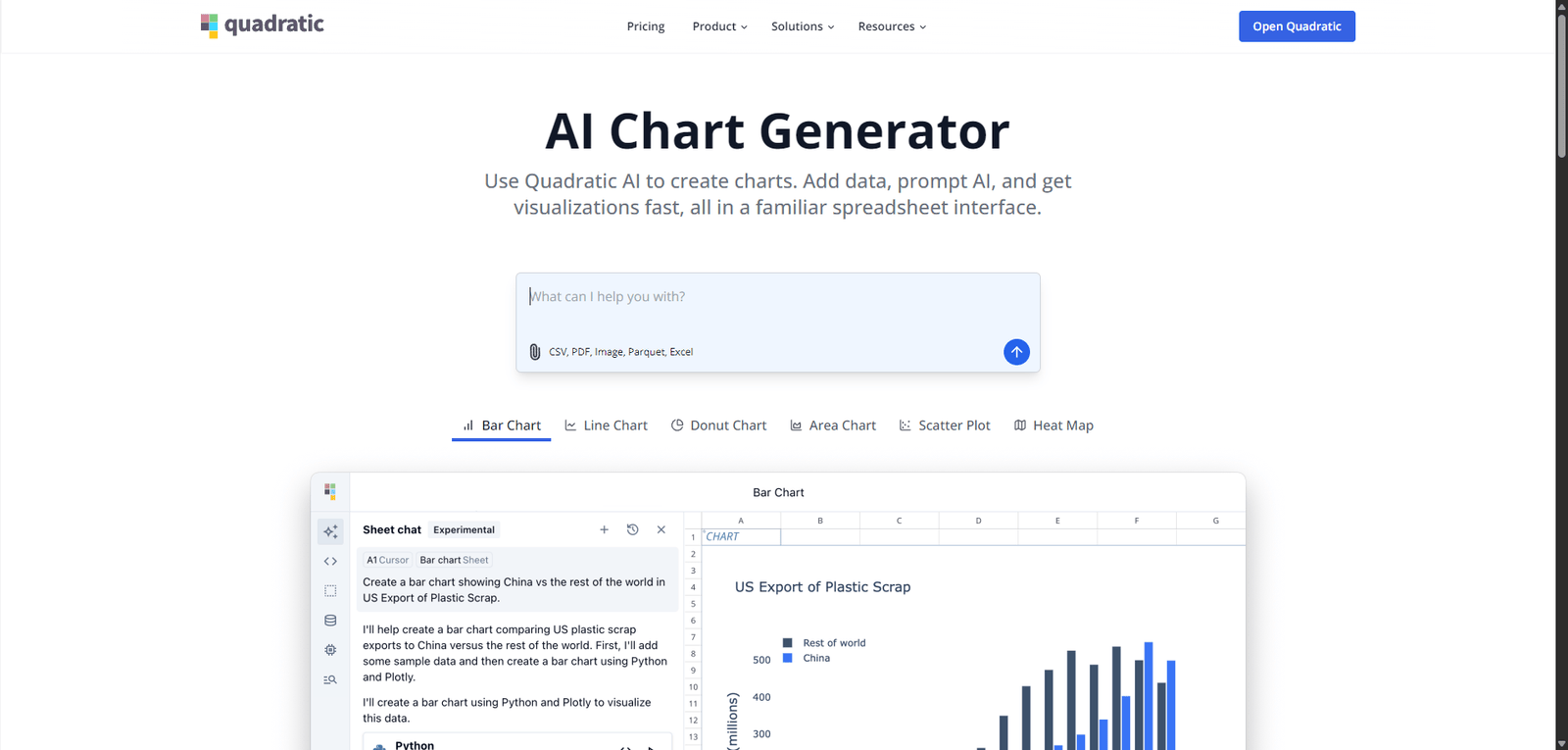
5. Data Visualization
- Create charts and visual outputs
- Explore trends visually
- Improve data understanding
6. API & Integration Potential
- Connect with external data sources
- Extend workflows with APIs
- Enable automation and scalability
Use Cases
Data Analysis & Exploration
- Analyze datasets quickly
- Use AI for insights
- Combine spreadsheets with code
Business Intelligence (Lightweight)
- Generate reports and dashboards
- Track performance metrics
- Support decision-making
Developer & Data Teams
- Run Python scripts in spreadsheets
- Prototype data workflows
- Bridge analytics and engineering
Startups & SMBs
- Replace complex BI tools
- Simplify analytics workflows
- Improve team collaboration
Pros and Cons
Pros
- Combines AI + spreadsheets + Python in one platform
- Modern, flexible alternative to traditional spreadsheets
- Strong for both technical and non-technical users
- Real-time collaboration features
- Enables advanced analysis without separate tools
Cons
- Learning curve for non-technical users (Python features)
- Not as mature as Excel or Google Sheets
- Limited ecosystem compared to legacy tools
- Performance may vary with large datasets
- Pricing details not fully transparent
Feature Comparison
| Feature | Quadratic | Excel | Google Sheets |
|---|---|---|---|
| AI Analysis | Yes | Limited | Limited |
| Python Integration | Yes | Limited (via add-ons) | No |
| Real-Time Collaboration | Yes | Yes | Yes |
| Ease of Use | Medium | High | High |
| Advanced Analytics | High | Medium-High | Medium |
Alternatives
| Tool | Best For | Key Difference |
|---|---|---|
| Microsoft Excel | Traditional spreadsheets | Mature ecosystem |
| Google Sheets | Collaboration | Simpler and widely used |
| Airtable | Database + spreadsheet | More structured data |
| Hex | Data science notebooks | More code-focused |
Verdict
Quadratic is a modern AI-powered spreadsheet platform that redefines how users interact with data by combining AI, code, and traditional spreadsheet functionality into a single environment.
Its strengths include:
- Unique combination of AI and Python
- Flexible and powerful data workflows
- Strong collaboration features
However, limitations include:
- Learning curve for beginners
- Less mature ecosystem than legacy tools
- Limited transparency in advanced pricing
Best suited for:
- Data analysts and developers
- Startups and tech teams
- Users seeking modern spreadsheet alternatives
Not ideal for:
- Users needing simple spreadsheet tools only
- Organizations reliant on Excel ecosystems
- Non-technical users avoiding code entirely
Rating
| Category | Score |
|---|---|
| Features | 4.7 / 5 |
| Ease of Use | 4.2 / 5 |
| Innovation | 4.8 / 5 |
| Pricing Transparency | 3.2 / 5 |
| Overall | 4.5 / 5 |
FAQ
What is Quadratic used for?
Quadratic is used for data analysis, combining spreadsheets, AI, and Python in one platform.
Is Quadratic better than Excel?
It offers more modern features like AI and Python, but Excel is more mature.
Does Quadratic require coding?
No, but coding (Python) is available for advanced users.
Is Quadratic beginner-friendly?
Partially — basic use is easy, but advanced features require learning.
Who should use Quadratic?
Data analysts, developers, and teams working with data.
